01 drop an image
png · jpg · webp · gif — decoded locally by your browser, never uploaded to a server.
A free image to ASCII converter that runs on your device — open the tool and drop a photo.
Nothing is uploaded. Tune charset, density and color, then paste the ASCII art into a terminal, README, chat, or comment.
Three steps, all local. Your browser samples the image on a canvas, maps luminance to characters, and redraws live as you tweak parameters.
png · jpg · webp · gif — decoded locally by your browser, never uploaded to a server.
six charsets from classic ramps to braille dots; adjust columns, brightness, contrast, invert and color.
copy plain text, download a .txt, render a .png, or build a share card with the settings printed on it.
Semaphore reads pixels on a local <canvas> and emits plain text for README files, CLI output, code comments, and chat. Conversion, preview and export stay inside this tab; there is no upload endpoint or processing queue.
The page makes no third-party runtime requests. Production ships Content-Security-Policy: connect-src 'none', blocking fetch, XHR and WebSocket.
Columns, brightness, contrast, invert and color re-run every change. The ASCII art updates immediately instead of waiting on a server job.
Cloudflare edge counts are static-file request logs, not client telemetry. No analytics beacon runs in the tab, and image bytes never enter those requests.
Free, no account, no watermark. Once the page is open, converting and exporting need no network; only a reload does. Open the ASCII converter, read the FAQ, or inspect the engine on GitHub.
Drop, convert, retune — replayed live by the real engine, not a video. Same converter you drive by hand on the tool page.
captured live from the engine on this page — open the image to ASCII tool to drive it yourself.
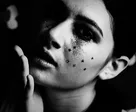
The charset is the alphabet of your image to ASCII conversion. Classic ramps read well in any monospace font; blocks suit posters; binary leans cyberpunk; braille ASCII packs a 2×4 dithered dot matrix for photographic detail. Every charset now has its own page: standard, detailed, blocks, minimal, binary and braille. Four of the six run live below from the same portrait.
rendered live in your browser by the same engine that powers the converter — try your own photo as ASCII art.
| charset | characters | steps | best for | portability |
|---|---|---|---|---|
| braille | 2×4 dot cells | 9 tones · 256 patterns | The most detail available. Eight dots per cell, dithered, so a face keeps its structure at low column counts. | Needs a font with braille glyphs. JetBrains Mono has none, so it falls back to a system face. |
| detailed | .'`^",:;Il!i~+_-?][}{1)(|\/tfjrxnuvczXYUJCLQ0OZmwqpdbkhao*#MW&8%B@$ | 68 | Photographs and portraits. Adjacent shades differ by roughly 1.5%, which is what keeps a cheekbone readable. | Plain 7-bit ASCII. Safe anywhere. |
| standard | .:-=+*#%@ | 10 | The classic look, and the safest default when you do not control the destination font. | Plain 7-bit ASCII. Safe anywhere. |
| blocks | ░▒▓█ | 5 | Pixel-art and poster looks. Each glyph paints its whole cell, so regions merge into flat areas. | Unicode block elements. Most terminals have them; some README renderers substitute a font. |
| minimal | .:*# | 5 | Small sizes — icons, avatars, anything under about sixty columns where a long ramp turns to speckle. | Plain 7-bit ASCII. Safe anywhere. |
| binary | 01 | 3 | Silhouettes and the code-rain look. Three steps leave no gradient, so shape survives and tone does not. | Plain 7-bit ASCII. Safe anywhere. |
ASCII art earns its keep where images cannot go. Convert once, then ship characters through any channel that only accepts text.
One click copies the glyph grid to the clipboard, or download a .txt for READMEs, code comments, IRC, Discord, and commit messages.
Need a still for a slide or social post? Export a crisp PNG of the ASCII art while keeping the monospace look intact.
Bake charset, columns and color into a branded card so someone else can reproduce the conversion — or just admire the result.
Pixels need hosts, CDNs and alt text. Character grids travel as plain text — that is the whole point of an image to ASCII workflow.
A logo that renders on every git host with no image hosting and no broken hotlinks. Guide.
Greet users of your tools where only a terminal exists — MOTDs, installers, TUI headers. Follow the SSH MOTD ASCII art guide.
Email, forums, code review comments, chat — if the medium takes characters, it takes ASCII art.
Never — the image to ASCII conversion runs entirely in your browser on a local canvas. It keeps working with the network off for as long as the tab stays open; only a reload needs a connection. Production CSP blocks any outbound connect.
Yes — free, no account, no watermark, no quota. Static files only.
Anything your browser can decode: png, jpg, webp and gif (first frame). Drop it on the converter or pick a sample.
Start from a high-contrast crop. Raise columns toward 160–200, nudge contrast up, and try the braille charset when you need photographic detail at the same width.